Transcribed from an old school ANSI version of this newsletter available here, or here in PNG format if you’re still old school, but also lazy.
State Sanctioned News From El Presidente Phlash

Okay, elephant in the room time. This newsletter is way, waaaaaaay overdue. I’ve really and truly blown my original goal of trying to get 2-3 of these out a year out of the water now. Around the time I should have had this out, it simply wasn’t at the top of my priority list. The second time, after a second big batch of releases in July, I started preparing some notes and thinking about what I’d want to write and… that never happened. Finally, another batch of releases in December and I made it my goal to get it out by New Years so we’d at least have one out in 2024 and… yep, here we are. It’s now almost half way through 2025 and I’ve just now got this thing put together. What can I say other than that I’m an utterly undependable sack of shit with ADHD and poor timing management skills?
The good news is that it’s been so long since our last newsletter that things have actually happened in the scene. I know, shocking, right?
Starting out with some Demonic news, we somehow finally convinced someone else to join our ranks. Opicron (oP!) hailing from the Netherlands has just joined us. oP! runs a cool Mystic board that you should check out and has released some pretty awesome Mystic mods in the past, most recently with Phenom Productions. Now Demonic has gone from 1/3 to 1/2 European. My god, they’re taking over! I’m compelled to make some kind of a joke about tariffs here, but I’ll resist. Regardless, I’m definitely excited to see what kind of cool stuff he releases next.
The official echomail network of Demonic, Zer0net went through a bit of a mid-life (heh, really?) crisis and made some big changes. Paulie420, beloved SysOp of the awesome 2o fOr beeRS has joined the management team to help run things, and our own Esc has officially joined the team as well. The biggest change, however, is that we’ve more or less dropped our infamously harsh acceptance criteria for new BBSes and opened the flood gates. If you’re interested in possibly joining, check out zer0net.org and grab the latest infopack for more details.
Speaking of Paulie420, he’s been running these awesome Doom meetups for ages now using Zandronum and a shitload of custom mods and maps. I’ve joined at least a couple of times now and had a ton of fun. They’re schediled for the first Saturday of every month at 6:00 PM PT. Call 2o fOr beeRS! for more info.
Speaking of message networks, I was going to report that Accession announced that he was closing down Agoranet due to a general lack of activity but then, oddly, some of the regulars seemed to take that as a personal challenge and started posting again. It’s been over a year now, and Agoranet remains up and, while it’s not the busiest othernet out there, it continues to see new posts and even some impressive bursts of activity. Ha! Learn more about Agoranet by calling the sexcellent Pharcyde!
And speaking of things dying, but not really, it’s now been over 3 years since the last Blocktronics pack, yet we’ve seen numerous Blocktronics contributors showing up in some damn impressive art packs from the resurrected Fire and resurrected just a bit earlier Lazarus. No one really wants to call Blocktronics dead, and yet…
While we’re at it, enz0’s ANSIGARDEN, which has been a fixture in the scene since something like 2017 or 2018 cranking our ANSIs specifically for use for BBSes, including custom themes and logos, appears to be closed for business. I’ve always been a big fan of enz0’s and he personally helped encourage growing my own mediocre ANSI skills, and was pretty bummed out when he more or less dropped Blocktronics and the rest of the scene years ago. Yet, surprisingly, he still kept drawing and taking commissions for ANSIGARDEN. Now all of the sudden ansigarden.com is down, so we’re assuming that too is over. 🙁 (Editors note: The front page started working again, but it’s unclear whether this is the result of some odd caching, domain squatter shenanigans, or enz0 himself fixing things. Stay tuned!)
Let’s talk BBS software!
- g00r00 made a brief appearance last year to appease us with a small offering in the form of a new 1.12 pre-alpha of Mystic BBS.
- Synchronet has had several new releases, including a couple of full versions of 3.20 in 2025, and indirectly related, new versions of SyncTERM have been rolling out with some regularity too!
- Talisman BBS was handed over to Lawrence Stockman and a new version was released.
- Meanwhile, Apam started work on yet another new BBS software called Envy, described as starting life as something of a mini-Synchronet, and seemed to be making fast progress on it. Unfortunately, rumor has it that Apam has since left that scene. Here’s to hoping he returns!
- I can’t even begin to make sense of the tumultuous history around ProBoard, but I do know the Jason Bock took it over at some point, and got v2.30 released at the end of 2023.
- Omnibrain, the dude behind IcyTerm (and now IcyDraw and IcyView) has started working on… you guessed it, IcyBoard. Initially, IcyBoard is a clone of PCBoard after Omni’s previous work on making a pretty cool PPL decompiler which then morphed into a compiler and an interpreter. Pretty damn cool.
- There have been a couple of new releases of the classic Renegade. Go Exodos! Also, check out that new site!
- Speaking of Renegade, Ignatius has released a quick Linux port of Renegade and some follow-up updates, and then released a quick Linux port of the scene classic, Impulse. Ignatius has also put out his own BBS orientated terminal, igTERM. Busy dude!
- On an entirely unrelated note (I promise) Impulse’s original author Nivenh has been seen reminiscing about his time in the scene recently, even playing with the idea of coding a BBS software again. While I wouldn’t hold my breath, it’s still fun to think about.
- Speaking modern takes on old BBS software, a post appeared on Reddit showing off a demo and touting the features of a brand new successor to Vision/2 called Vision/3. While nothing has actually been released yet, it does appear to be reasonably far along and potentially quite cool.
Our friend Smooth has been MIA for quite some time now. Someone leaving the scene isn’t news at all these days, but Smooth has been so incredibly involved in everything for years now, including his art contributions to numerous groups, and his own Legacy Krew, he runs one of the best underground message networks in the scene, ArakNet, he runs what is pretty much our only competition in the modding scene, Phenom Productions, and he runs some awesome systems, notably Ink/2. In the time that he’s been gone he’s been mostly unreachable to those in the scene, but he has popped back in a few times to fix the odd issue with Araknet and/or his BBS, and he even made it seem like he was back for good the last time he showed up (only to disappear again.) Here’s hoping he returns to his normal insane levels of activity soon enough, as his absence has definitely left a hole.
Speaking of highly involved folks disappearing, Netsurge infamously pulled a fairly similar stunt a few years ago, burning a lot of bridges in his wake, it was reportedly because he’d started pouring all his attention into his new retro computing business Retro Rewind. While he hasn’t come back to the scene, per se, the draw of running a BBS again has caught back up again, and one of his systems, the Amiga based Zeus board Hysteria has been put back up as the official BBS of Retro Rewind’s customer community.
This is less a piece of news and more just something I wanted to shout out, but ex-Demonic member and all around cool guy Sloop has teamed up with a friend and colleague of his to put out The Serial Port and its sister channel, The Parallel Port. Both channels have a focus on retro communications equipment, and include some damn cool videos related directly to BBSing. While most of their content is more focused on Enterprise equipment, like server and network devices (particularly on the ISP side of things) I’d think many people reading this would be interested.
While I’m plugging YouTube channels, did you know that Paulie420 has a retrocomputing focused YouTube channel? Well, now you do!
Well known hack/phreak scene mainstays Phrack put out issue #71 last summer. While Phrack has continued to put out very random, sporadic issues in the traditional all text zine format for quite sometime, I still think its incredibly fucking cool to see an old school text zine popping up in 2024, especially from a group that start doing it all the way back in the mid 80s.
Speaking of zines, BBS scene e-mag (lately, also a text based zine) NULL has put out their first issue since 2022 this year. I’ve been a long time supporter of this mag since I first became aware of it back in like 2018 or 2019, and I’m not just saying this because its the brain child of our very own Xqtr either.
Outlaw Country music star, devoted SysOp, and all around badass Shooter Jennings has continued his inexplicable obsession with writing bizarre, creative WINSever native door games with his latest release, Automatic Adventure: Los Angeles. I don’t believe this has shown up on his BCR Game Server quite yet, but you can check it out along with his other games at his BBS, Wizard’s Rainbow.
Speaking of overly productive door game creators (yes, I admit, I’m projecting a little) Amiga ASCII badass and SysOp of one of my favorite boards, aBSiNTHE, aNACHRONiST, has dropped another new exclusive game on the world. Joining the ranks of the awesome Skyraiders and SkullHack comes ATAXX, aNST’s colorful Amiga ASCII filled adaption of the 1990 strategy game of the same name. While, like Shooter’s games, aNST’s games are exclusive to his BBS, he’s stated recently that he hopes to stand up a game server to finally make these games more widely accessible. While I’m giving him all this love, I’ll also throw out a recommendation to check out the very BBS centric talk he gave at Hackfest 2024.
In much sadder news, the BBS scene lost a couple of bonafide legends since the last newsletter.
Ward Christensen was celebrated as one of the co-creators of the first ever BBS, as well as the author of the XMODEM protocol which, probably shockingly to a lot of BBS hobbyists, is still widely used today. There are tons of articles from big publications about him, but I’d prefer to link this quick video on him from AlsGreekLab (who many of you will know from his more recent Back to the BBS YouTube documentary series) as it’s a little more up our collective alley.
Much closer to home is the loss of Hawk Hubbard (AKA Captain Hood.) Hawk was a massive presence in the underground scene, running multiple impressive art scene centric BBSes (most notably, the celebrated Black Flag) and being a huge supporter of various art and modding groups. That’s probably all incredibly redundant since surely almost everyone reading this knew him, at least to some degree. Thankfully most of his BBSes survive, but calling them will never be quite the same without the extremely high likelihood of him pulling you into a surprise SysOp chat. I wrote a little bit more about him on my blog here. RIP, Captain!
I’m sure I missed a ton of stuff here – we’d appreciate some contributions in the form of a quick email to let us know about things that could be spotlighted in the next edition!
Revolutionary’s Handbook
New to this newsletter (and hopefully going forward) we’ll also be including some articles, both from myself and other Demonic members. In this edition, Xqtr, probably desperate to fill the NULL shaped void in his life at the time he submitted these, brings us numerous tutorial articles. We like putting out tutorials, but some of these were a bit too small to justify their own releases, so here they are!
— Setting Up TP7 in DOSBox for Door Dev with XDoor
  Lets set an environment for creating DOOR apps/games with Turbo
  Pascal in DOS. You can use any PC, either Windows, Linux or Mac. The
  steps are the same, but there may be differences on how to install
  things.

  This guide is not a precise, step by step guide for each machine and
  it requires from you to have a level of knowledge on how to use your
  PC and also program in the Pascal language.

-----------------------------------------------------------------------
  Setup
-----------------------------------------------------------------------

 1. Install DOSBOX on your system. For Linux/Debian it is as easy as:

    sudo apt install dosbox

 2. Create a directory in which you will place all files. Lets name it
    tpdos.

 3. Download Turbo Pascal 7. You can get a copy at
    https://winworldpc.com. Inside the archive you file several .IMG
    files. Mount each one and copy the files into a common directory,
    inside our tpdos dir. Let's name it tp7s. In Linux, you can mount
    this image files, with just a right click and selecting Mount Image.

 4. Open your DOSBOX config file and at the bottom add these lines:

    [autoexec]
    # Lines in this section will be run at startup.
    # You can put your MOUNT lines here.
    mount c ~/tpdos
    c:

 5. Run DOSBOX, CD into the tp7s directory and install Turbo Pascal
    inside the TP7 directory.

    c:> cd tp7s
    c:> install

 6. Re-edit the DOSBOX config file and make the autoexec stanza look
    like this now.

    [autoexec]
    # Lines in this section will be run at startup.
    # You can put your MOUNT lines here.
    mount c ~/tp7dos
    path c:\tp7\bin;c:\tp7\units;
    c:

 7. Inside the archive you downloaded from winworldpc there is a
    directory for a patch. Read the instruction on how to do the patch.
    It's a necessary step, don't skip it. After that, you can delete
    the tp7s directory.

 8. Now download the XDOOR KIT, from here:
    https://jackphla.sh/files/xdoor301.zip
    Unzip the archive in the directory XDOOR, under our original
    ./tpdos directory.

 9. Lets organize a bit... create another directory named PROJECTS, to
    keep all of our projects in one place and not in the main
    directory. You can create also another directory named SOURCE,
    where to put various pieces of source code, you can find in the
    Internet, for TP7 and making DOORs specifically.

10. As a last step, include in the PATH, also the XDOOR directory. So
    the AUTOEXEC stanza inside the DOSBOX config file, will look like
    this:

    [autoexec]
    # Lines in this section will be run at startup.
    # You can put your MOUNT lines here.
    mount c ~/tp7dos
    path c:\tp7\bin;c:\tp7\units;c:\xdoor
    c:


  At the end your tree directory, should look something like this:

  .
  |-- projects
  |-- source
  |-- TP7
  |   |-- BGI
  |   |-- BIN
  |   |-- DOC
  |   |-- EXAMPLES
  |   |-- SOURCE
  |   `-- UNITS
  `-- xdoor

-----------------------------------------------------------------------
  Sources
-----------------------------------------------------------------------

  Now you have to learn to use the XDOOR kit, which is not difficult,
  unless you don't know how to program in Pascal, which is out of scope
  of this guide.

  As a resource, you can search the Internet for the source code of
  other DOOR programs. You will find plenty, programmed in Pascal,
  which is the main reason we chose TP7 on the first place.

  Another great resource is the SWAG archive. You can find online
  versions of it here:

  https://wiki.freepascal.org/Page_Of_Code_Sites#SWAG_sites

  Personally I prefer the old DOS version of SWAG. You can find a
  version of it here:

  http://www.retroarchive.org/garbo/pc/turbopas/index.html

-----------------------------------------------------------------------
  Demo
-----------------------------------------------------------------------

  Inside the XDOOR kit directory, there is a demo of a DOOR app. It's a
  oneliner. Go into the xdoor directory and write:

  c:\tpc oneliner.pas -B

  The -B is to build all units. Now you will see an executable file,
  named ONELINER.EXE. Type:

  c:\oneliner -?

  ...to get some help. To run the DOOR locally just give the command:

  c:\oneliner -l

  To setup the DOOR app to run under a BBS is whole other guide ;)

  Enjoy...
— Creating Doors with BASH!
                    BASHing... DOORS!!!  Part 1...

In Linux BBS software like Mystic and Synchronet, you can run almost
any program and it will be able to be displayed at the remote user, as
if it was a "normal" DOS DOOR program. No need to use any special
libraries or DOOR kits.

This can be proven very useful, as we can use any BASH script and
display it to the user. We can write "DOOR" programs, just by using
BASH!

I will not dive into the why DO or DO NOT do that, cause each choice
has its dis/advantages and perhaps security issues? maybe? for example,
no one knows what will happen if someone presses ctrl-c while use such
a BASH DOOR... ;) Anyway... for those who search for other ways to
write DOOR stuff... lets continue...

The following instructions are meant for Mystic BBS, but it's the same
logic for Synchronet or other BBS software.

To create such a DOOR, we need a) the script... obviously... b) to
create a new command entry in one of our menus. First create an empty
file, like: /home/pi/door.sh  <--- use the exact path and filename.
Make it executable with: chmod +x ...

Then enter your menu configuration editor, edit a menu and add a DD
command, for Mystic. In the DATA field add this:

                Command  | (DD) Exec external program
                Data     | /home/pi/door.sh %P

The %P is the folder that contains the drop files, that we will use for
the DOOR. See a complete list of all parameters, at the link below.
Search for the EXTERNAL DOORS chapter.

http://wiki.mysticbbs.com/doku.php?id=menu_commands&s[]=dd

Don't forget to configure the Hotkey and display text, as you wish. Now
the script!

This is just the beginning, so our script will be as simple as it gets.
We just want to prove and test that it works. For a DOOR to work, we
need to get information from a dropfile, like DOOR.SYS, so this will be
our first task. To read the DOOR.SYS file, we use this command:

DIR="$1"
DOOR=$(cat "$DIR/DOOR.SYS")

DIR contains the users temp directory and, DOOR now contains all the
contents of DOOR.SYS. But we don't want the whole file, we just need
specific data, like user name, sysop name, time, KBs etc. To get those,
we use a command like this:

ALIAS=$(echo -e "$DOOR" | sed '36q;d')

The number 36, in the above command, means to get the 36th line of the
DOOR file. With the same way, we can get all other values we want,
like:

ALIAS=$(echo -e "$DOOR" | sed '36q;d')
NAME=$(echo -e "$DOOR" | sed '10q;d')
SYSOP=$(echo -e "$DOOR" | sed '35q;d')

To display any data to the user we just echo them like:

echo $DIR
echo "$ALIAS"
echo "$NAME"
echo "$SYSOP"

...and we are ready to write our own BASH DOORs! The complete script is
below and contains a few additions. In the next chapter, we will create
a skeleton script with useful commands to use as a base, when writing
such BASH DOOR thingies... :p

=====================================================================

#!/bin/bash

DIR="$1"
DOOR=$(cat "$DIR/DOOR.SYS")
ALIAS=$(echo -e "$DOOR" | sed '36q;d')
NAME=$(echo -e "$DOOR" | sed '10q;d')
SYSOP=$(echo -e "$DOOR" | sed '35q;d')

echo -ne "\033[0;31m"
echo $NODE
echo -ne "\033[0;33m"
echo $DIR
echo -ne "\033[0;32m"
echo "$ALIAS"
echo -ne "\033[0;34m"
echo "$NAME"
echo -ne "\033[0;35m"
echo "$SYSOP"

read -p "pause..."

#complete reference of the door.sys file
#http://wiki.synchro.net/ref:door.sys

======================================================================
— 80 Columns? How about 72?
80 - 2 * tab... Should we?

Perhaps you don't even know it, but it's a good practice to write
72 characters per line. First... this number comes from subtracting
two times a 4 characters tab from a line of 80 chars. width. Thus:
80 -( 2 * 4 ) = 72. No one knows exactly how this became a reality,
but the most probable cause, would have to do with some old
technology ex. punch cards or typewriters... who knows.

The thing is that specially for us, BBS users, using this size of
width has some advantages and for sure, we shouldn't use the whole
80 chars. to write text in a line. The best advantage would be that
we can quote a 72 char line, 3 to 4 times and the text would be
readable and not truncated.

Perhaps you already have seen some cases where quoted messages in
echonets are truncated at the end, when quoted, because the width
of them, with the added quote chars " >" exceeds the 80char limit.
Honestly this is a frustrating situation when it happens, cause
most of the times the most meaningful word or something you want to
read is at the truncated text.

The thing is, that in most BBS text editors, if not all, you can't
put a specific width, to wrap the line, except the default 80char
one. So, we have to write our message in another editor that
supports it and then copy/paste it into the post, which I don't
think anyone will do and it is a pity.

BBSes and text mode come with limits, that we have to respect and
find or use methods to make them more readable. It's a surprise for
me, that we haven't (as BBS scene) adopted this restriction of
72chars per line, which will, in my opinion, increase by a lot the
readability of posts, in the echonets.

Source: www.reddit.com/r/linux/comments/4m2kp7/where_does_the_72_column_
linewrap_convention_come/
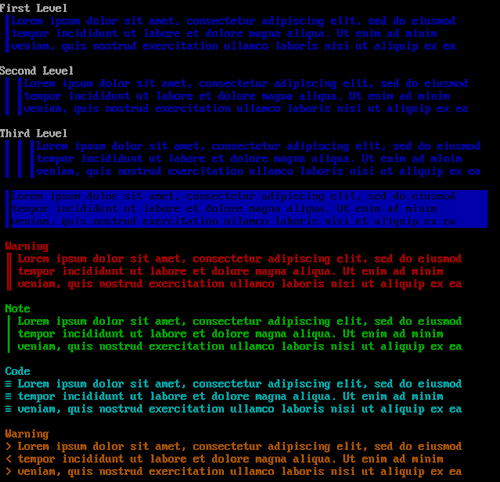
As a bonus, some ANSI graphics for quoting text… 🙂
Heroes of the Unpopular Front
Believe it or not, after the last newsletter someone actually contacted me to point out that if we’re going to be elitist dicks with extremely high membership requirements and reject so many applicants, we probably shouldn’t even bother trying to recruit new members. I guess my attempts at humor went way, waaay over some of your heads. As such, for this edition, this section of the newsletter will be entirely serious.
- Esc (US) – has been in the scene for ages, and was a member of original 90s Demonic. He also used to draw ASCII for the likes of Impure and Mimic back in the day. While Esc dabbles with all kinds of BBS software, as the maintainer of Daydream/Linux, a lot of his releases revolve around it, along with Mystic BBS.
- Jack Phlash (US) – original founder and president of Demonic, JP dabbles with a little bit of everything, but mostly concentrates on the BBS software he runs, Mystic BBS, as well as coding doors and applications in Pascal. JP is also an active artist, currently drawing ASCII with Impure.
- Opicron (NL) – Our newest recruit, Opicron has been making a name for himself in the scene for a while now with Mystic BBS mods, particularly those reliant on heavy Python scripting, like his well known iChat IRC client.
- Xqtr (GR) – Xqtr is known for his creative Mystic BBS mods (and his BBS, Another Droid, where you can see them in action) along with numerous coding projects, and his e-mag/e-zine NULL. Check out his blog!
We’re always on the lookout for more members. Are you working on some cool, creative mods, doors, or other relevant code and want to do it with the backing and support of a group? Even if you don’t need a group, it’s more fun, trust us! We’re only interested in members who want to actually release, so mention what you’re working on and/or planning on working on if you do decide to apply.
Products of Labor
- ESC-BB11.ZIP – A quick fix for Esc’s previous pre-login bot blocker for Daydream/Linux. Yes, sometimes we need to fix our fixes.
- ESC-DDTX.ZIP – An update to the classic ddtext string editor utility for Daydream/Linux, by Esc, because no SysOp alive should have to live with stock strings!
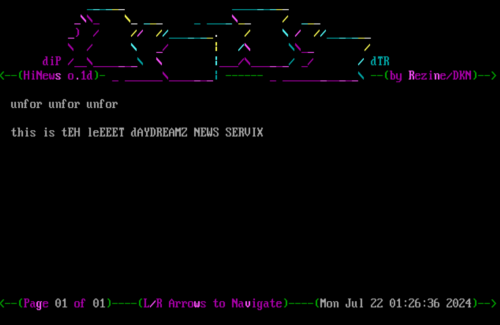
- ESC-HNWS.ZIP – Hinews v0.2 by Esc. A simple news/announcement door for Daydream BBS/Linux. Another entry in Esc’s series of classic Daydream mod updates/fixes.
- ESC-LMSG.ZIP – An updated/fix release of the classic dd_listmsgs message lister mod/door for Daydream/Linux.
- ESC-LSTG.ZIP – Last 100 ULS Grouped v1.2 for Daydream/Linux by Esc. Displays a grouped listing of the last 100 uploads. Are warez boards still a thing?!
- ESC-VPS.ZIP – It seems like there’s always questions about hosting a BBS in the cloud. With this release, Esc brings us a tutorial/guide on how to build and setup a hosted 32-bit Windows 7 server droplet for running a BBS, doors, etc. on DigitalOcean.
- JP!G11R.ZIP – Ever want to know how to use REFDoor to make a full, online e-mag but hate figuring things out on your own? Well, here’s a full conversion of Gutter e-mag #11 to a REFDoor script, by Jack Phlash.
- JP!PMP1.ZIP – A quick but stylish random BBS advertisement script for REFDoor 1.3+ by Jack Phlash. Pimp your favorite BBSes!
- JP!PNTS1.ZIP – A quick tutorial/guide about who to set up and use point nodes in an echomail network, by Jack Phlash. Now stop asking me how to do this!
- JP!IQNL1.ZIP – Jack Phlash brings us an IPL mod to replace Iniquity’s “XL” command replacement to show all nodes, not just the ones that are currently up/online. Perfect for all 2 people who run Iniquity in 2025!
- JP!IR21.ZIP – Instinct Rumors 2.1 by Jack Phlash. A quick update to his previously released Instinct BBS + REFDoor script to take advantage of some new features/fixes in REFDoor 1.3.
- JP!TCG21.ZIP – TCEGraff/2.1 by Jack Phlash. An update to the previous TCEGraff/2 REFDoor script to take advantage of some new features/fixes in REFDoor 1.3.
- REFD130.ZIP – REFDoor v1.3 by Jack Phlash – yet another new version of JP’s unpopular REF scripting engine door containing numerous additions and updates.
- REFD141.ZIP – REFDoor v1.4.1 by Jack Phlash. Another new version of REFDoor, focusing on editions and fixes for e-mag creation. This update made REFDoor’s single user, Jack Phlash, quite happy.
- XQBBSDB.ZIP – An interactive, self-populating database of connected BBSes for Mystic BBS by Xqtr. This is pretty cool, and more people should use it. It does require some sort of network with a data transport echo to get the most out of it though!
- XQEMDMN.ZIP – Xqtr brings us a mail daemon that allows SysOps to post and even interact with their BBSes via Internet e-mail. Currently supports Mystic BBS and Enimga ½. Both neat and kind of weird, an Xqtr staple!
- XQ!SCRSV.ZIP – Xqtr brings us a slew of cool MPL based screensavers for Mystic. Perfect for all of you lamers whose BBSes are so goddamn boring they put your users to sleep.
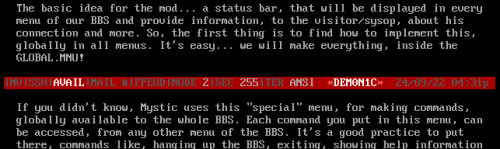
- XQ!SYSBR.ZIP – a quick tutorial on modding Mystic using ACS & menu commands, using a cool status bar mod as an example, by Xqtr. This might be the rare case where the example is cooler than the tutorial it’s in.
Clandestine Contact
Need technical support? Have a mod request? Just feeling lonely? You reach us each by emailing esc at demonic.net, jp at demonic.net, opicron at demonic.net, and/or xqtr at demonic.net.
Another method much more in line with the spirit of Demonic would be to call our BBSes. We all run boards which, with the exception of Esc’s, are semi-publicly accessible. Call them up and e-mail the SysOp!
- Another Droid (andr01d.zapto.org:9999) run by Xqtr. Awesome, experimentally modded Mystic BBS themed around evil robots. Maybe I’m just projecting the evil part?
- Distortion (d1st.org) run by Jack Phlash. Modded Mystic old school art board stylee.
- The Forze (bbs.opicron.eu) run by Opicron. Modded Mystic with a sleek, minimalist style (and check out that cool screen saver!)
- Monterey (not open for business yet) run by Esc. Amiga ASCII laden Daydream/Linux or Mystic (changes weekly) – not yet open for public consumption!
You can also reach us via the 0N-DPUB (AKA something related to “Demonic Productions”) echo on most boards that carry Zer0net.
We also still kind of have a website but it’s mostly a placeholder for now, with updates and other content currently appearing at JP’s blog instead.
Hopefully the next newsletter comes out a bit sooner, at the very least so I have less news to sift through and fewer releases to try to describe. Ugggh!
EOF!?
—
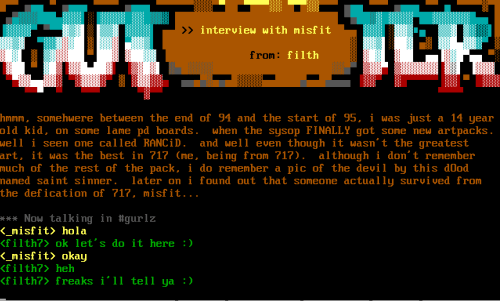
1. Demonic Header by Filth, first released in Demonic #1 – 01/97 (1997)