Happy New Year! Good god, where has the last year gone?! I’ll be putting together some more exciting stuff very soon, but for now, let’s get super serious.
The traditional mindset of having larger, infrequent software “releases” has been slowly replaced by a more continuous integration minded approach favored by the now ubiquitous GitHub and similar platforms. While more and more hobbyist developers take the hands off stance of just treating their code as “live” these days, from what I’ve seen, most of us are still maintaining version/build numbers and documenting changes even if not packaging our releases. Why not have both? GitHub has a feature called “Releases” that allows for just that.
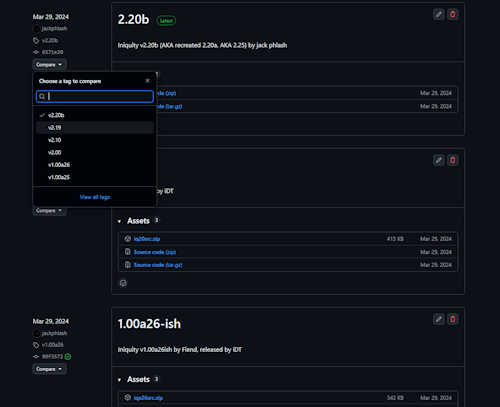
Releases are actually enabled by default, so unless you have it disabled you probably already see it, just sitting there empty, begging for some attention.
To get started, just go to “Releases” and click “Draft a new release” and…
- Give the release a tag (I usually just use the version number, as recommended.) You can use whatever method of versioning you want – GitHub doesn’t care.
- Pick the target – by default this will be your current master branch, but you can also target other branches and/or specific commits too.
- You can then give your release a title (again, I keep it simple with the project name and version number) and your release notes, release announcement, etc. You can keep this brief or go as in-depth as you want here.
- Finally, and this is one of the features that makes this really awesome for those of us in the BBS scene and other, similar hobbyist niches, is the ability to attach files to the release. While an archive of the source code for target commit will be included, you can also attach pre-compiled binaries, or better yet, manually package your release the old fashioned way and attach it here.
The end result is that you have a snapshot of the source code of a specific version, the associated binaries and/or release archive of that version, along with whatever release notes and other details you want to include, all in one highly visible place. It’s also all automagically associated appropriately within your repo – you can even do diffs/compares between these “releases” making it incredibly easy for you and your users to see what actually changed between versions (instead of relying on whatever half-assed notes you put in your “whatsnew” file.)
Here’s the official guide to Releases from GitHub and for a random example of someone from the BBS scene who is using this feature, check out Icy Board’s repo.